
Self Embeds
Official
An official plugin, included with FluxPlugs. Open Fluxer Settings → FluxPlugs → Plugins and choose Install next to Self Embeds. It starts switched off until you turn it on.
How to install a bundled pluginSelf Embeds in the user guide
What it can do
The 3 permissions it asks for
- SettingsRead and change its own settings.
- Dialogs and menusShow dialogs, panels, overlays, notices and menu items. Sees the ids of the message, person or channel whose menu item you click.
- Post for youPost embeds or replies in the open channel, react to messages, or type text into your message box, after you act in its UI.
Fluxer shows this same list when you turn the plugin on.
About this plugin
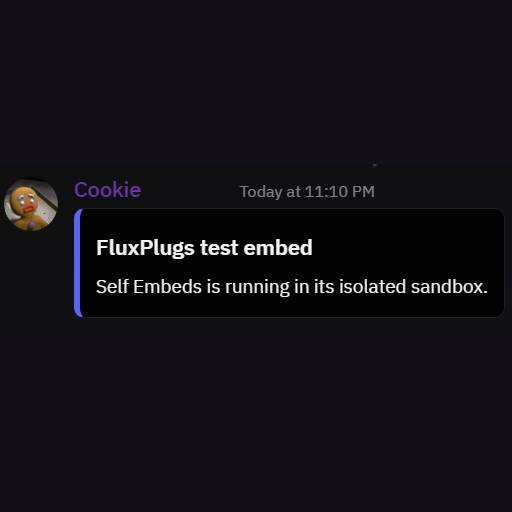
Adds a Self Embeds submenu to the + menu next to the message box. Create Embed opens a form where you write the embed's title, text, colour and fields and send it to the open channel; Test Embed sends a sample so you can see how one looks. Embeds are sent from your account, like any message.
Settings
- Create button label: the label of the composer action in the menu. The default is "Create Embed".
Capabilities and privacy
Self Embeds asks for settings, UI and messages. The form is FluxPlugs' own dialog, and sending goes through FluxPlugs with your session; the plugin never sees your credentials.
Development
Built with node packages/plugin-tools/cli.mjs build plugins/self-embeds from the repository root, which rewrites the manifest's integrity hash. pnpm --filter @fluxplugs/self-embeds test runs the tests. The composer module owns the fields, validation and the draft; the entry module owns the menu registration and the feedback after sending. See the developer documentation for the sandbox and lifecycle rules.
From the plugin's README on GitHub, written by its author.
Details
- Version
- 1.0.0
- License
- MIT
FluxPlugs is an independent project, not affiliated with or endorsed by Fluxer.